 Detent Point
A lot of the people who’ll first open DetentShell are still running Windows PowerShell 5.1 in the ISE today. Not remembering it fondly: using it, right now, for real work. This is built for them first.
The shape is the same one you already have muscle memory for: a script pane over a console pane, tabs that are real PowerShell sessions, F5 to run. Open a script that needs 5.1 and DetentShell routes it to the right engine automatically, or you pin it yourself per tab. Your 5.1 scripts and your PowerShell 7 work live in the same window. Switch back and forth. You’ll be fine.
PowerShell 7 isn’t preinstalled on Windows the way 5.1 is, several of Microsoft’s own management tools (Intune, ConfigMgr, Group Policy scripts) still require 5.1, and Windows-native cmdlets don’t always carry over. None of that is fixed by an editor, and we won’t pretend otherwise.
What was missing was a tool as solid as the ISE to write and prove out PS7 scripts before they ship. That’s what this is: 944 automated tests behind the app, a real Pester loop instead of hand-run scripts, and an engine picker that lets you migrate one script at a time instead of a hard cutover.
The same keys, doing the same things they did in the ISE: F5 to run, F8 for the selection, F9 for a breakpoint, Ctrl+Space for IntelliSense. Script and session tabs, an interactive console, step-through debugging, find and replace, all where your hands already expect them.
The full keyboard shortcut reference →
Coming from the ISE? An ISE for PowerShell 7 → · What happened to the ISE → · ISE vs PowerShell → · Choosing a PowerShell IDE → · PowerShell editors → · Pester testing →
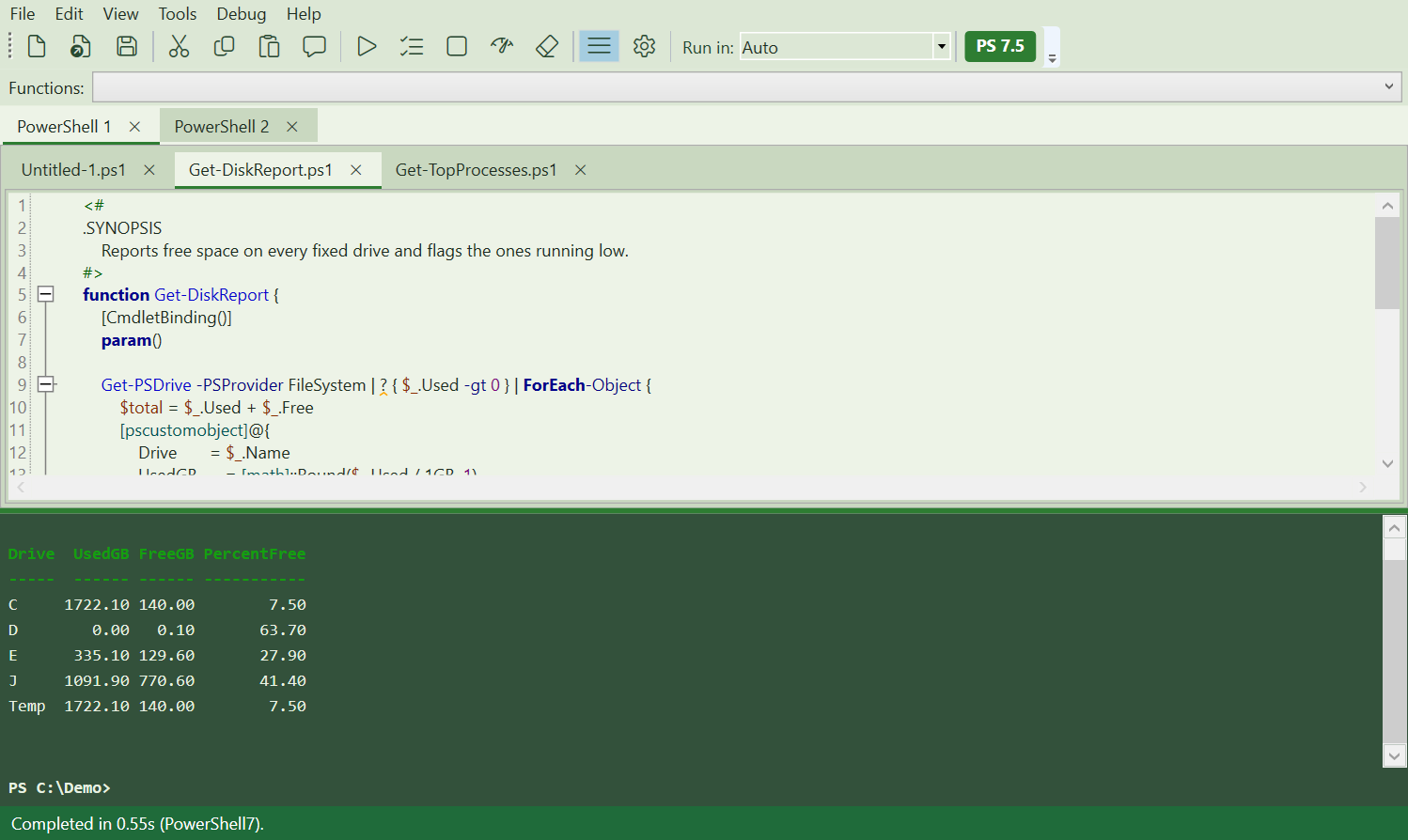
A screenshot of the actual build in its default Sage theme, mid-run. Not a mockup. The gallery has all seven themes, captured the same way.
The ISE never had these. We added them because PowerShell 7 work asks for them, not to pad a feature list.
One-click Pester tests
Right-click a script, choose Generate Pester Tests, and a real test file comes back. The generator is PesterForge Editor Edition, free inside the app.
- Live script analysis. PSScriptAnalyzer diagnostics show up as squiggles while you type; Quick Fix applies the suggested correction in place.
- Eight themes. Four built for low light (Dark, Terminal Green, Amber Glow, High Contrast) plus Light, Sage, Classic Console, and Sepia. Every color pair passes an automated WCAG contrast check before a build can ship.
- Isolated sessions. Each tab gets its own dedicated PowerShell 7 runspace. A runaway script in one tab can’t touch the session next to it.
- Built under test. 944 automated tests pass across the engine, editor, debugger, and themes. Most recent full-suite run: 2026-07-13, zero failures.
Everything in the box in detail, how test generation actually works, a head-to-head against the ISE/VS Code/SAPIEN, and getting started: Features · PesterForge · Compare · Docs.
DetentShell is built and sold by Detent Point LLC. It is an independent product, not affiliated with, endorsed by, or made by Microsoft. Microsoft’s Windows PowerShell ISE is in maintenance mode and does not support PowerShell 7; Microsoft’s documentation points people to VS Code instead. A lot of people wanted a PowerShell 7 ISE anyway. So we built it.
PS> Start-Process "https://apps.microsoft.com/detail/9pdxw5ft80g0"
# Opens the Microsoft Store listing
In the Microsoft Store now. DetentShell is $49.99 in the Microsoft Store, with a free trial. Volume licensing for teams is handled separately.